Managing Website Favourites
Save the products you order regularly, then open them or add them to your cart from one list.
You can save a product with the heart whether or not you are signed in. To view and use your Favourites list, sign in to your Unipak website account.
Save a product to Favourites
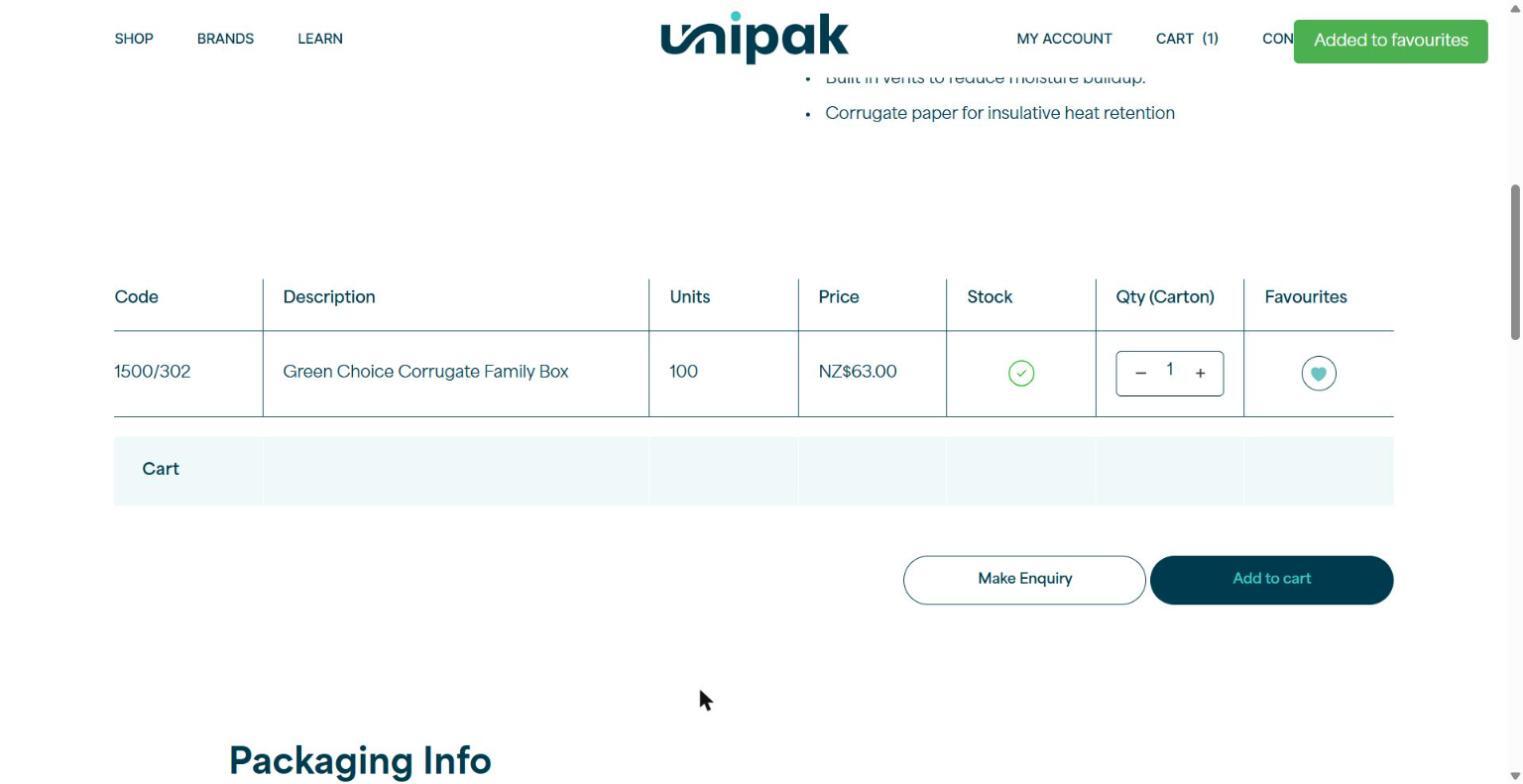
Open the product you want to save and scroll to the product table. Find the product row and select the heart under Favourites.
The heart fills turquoise and an “Added to favourites” message confirms it is saved.
Find your saved favourites
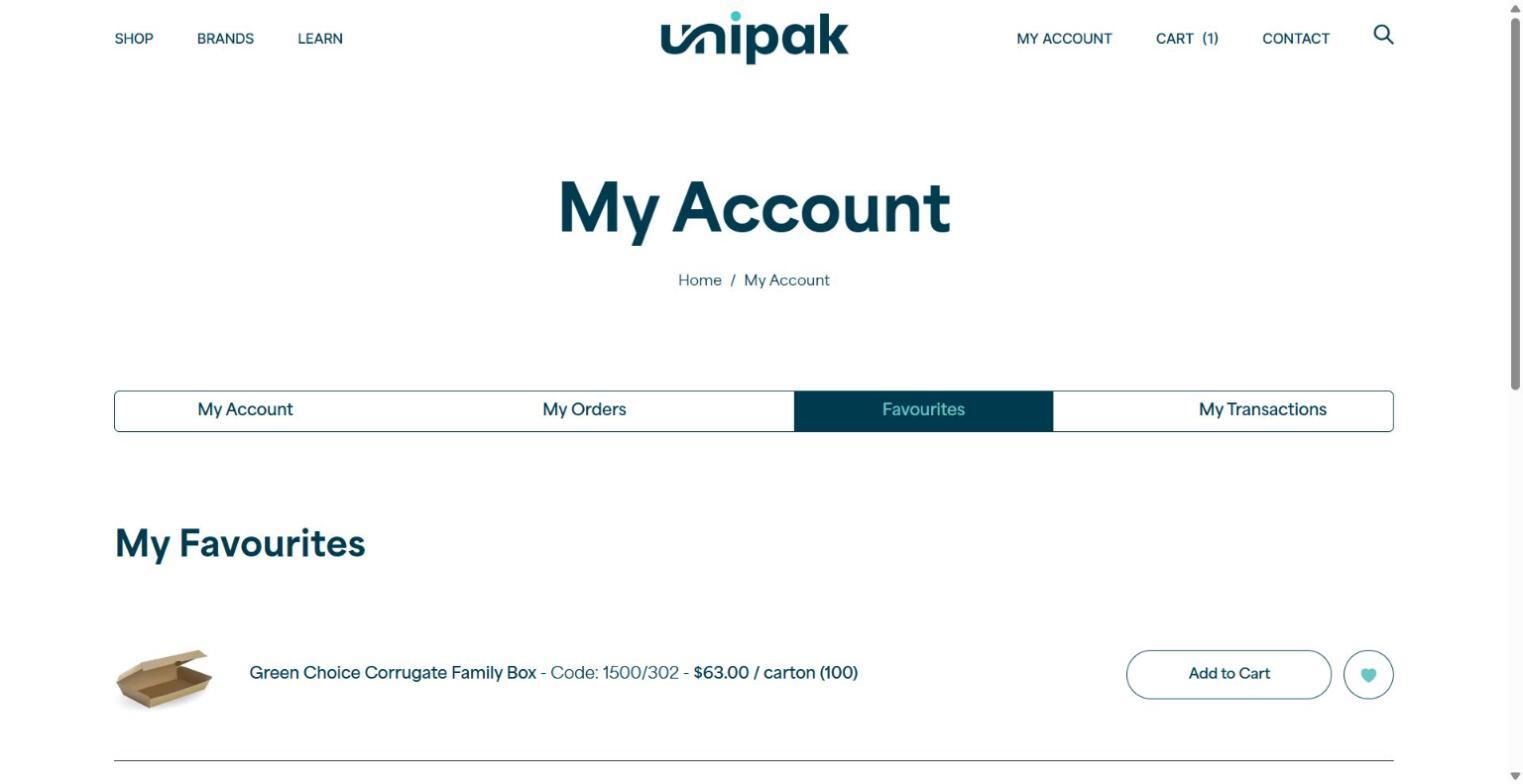
Sign in, select My Account in the top navigation, then select Favourites.
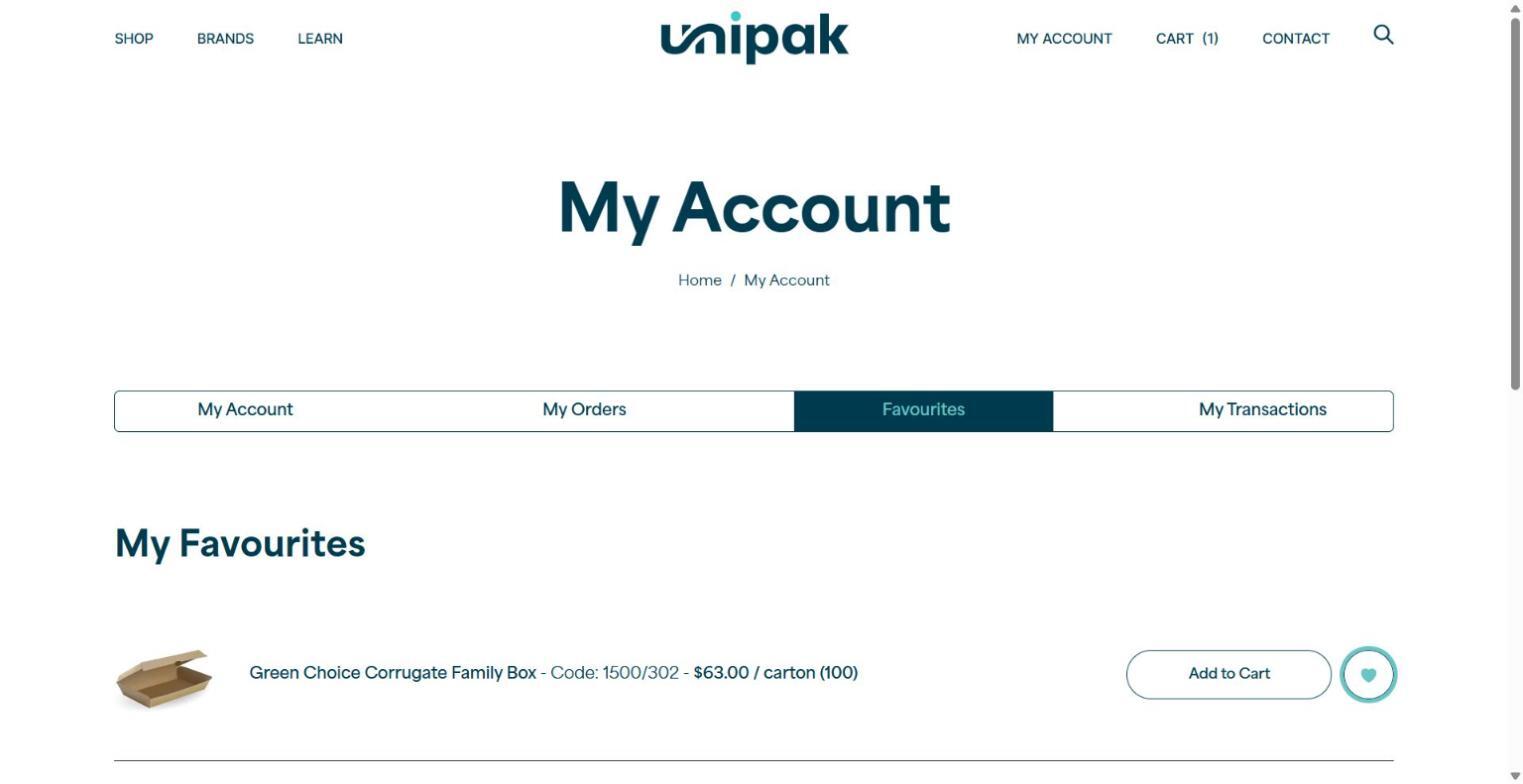
Your saved products appear under My Favourites, each with its name, code and carton information, an Add to Cart button and a heart.
Add a favourite to your cart
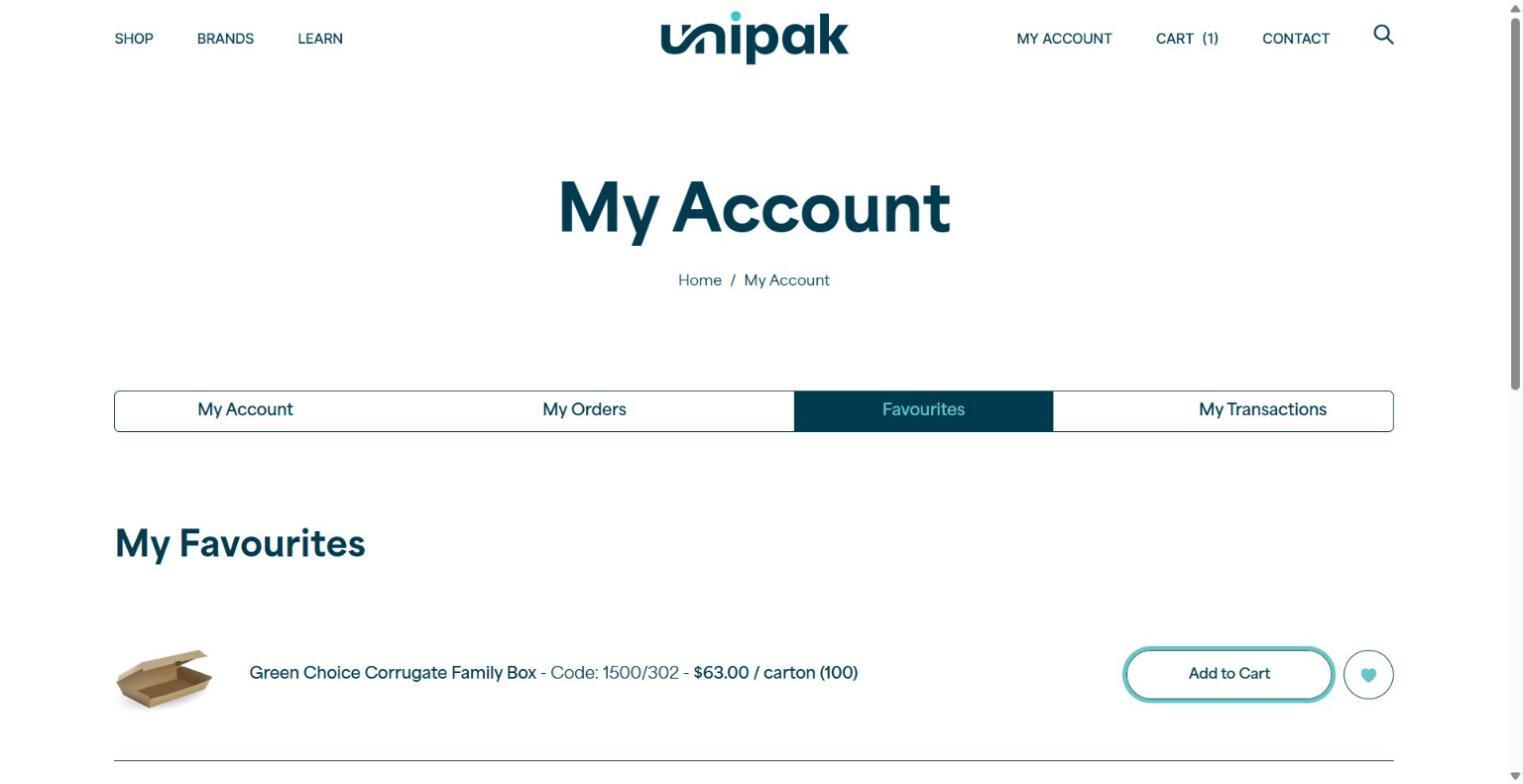
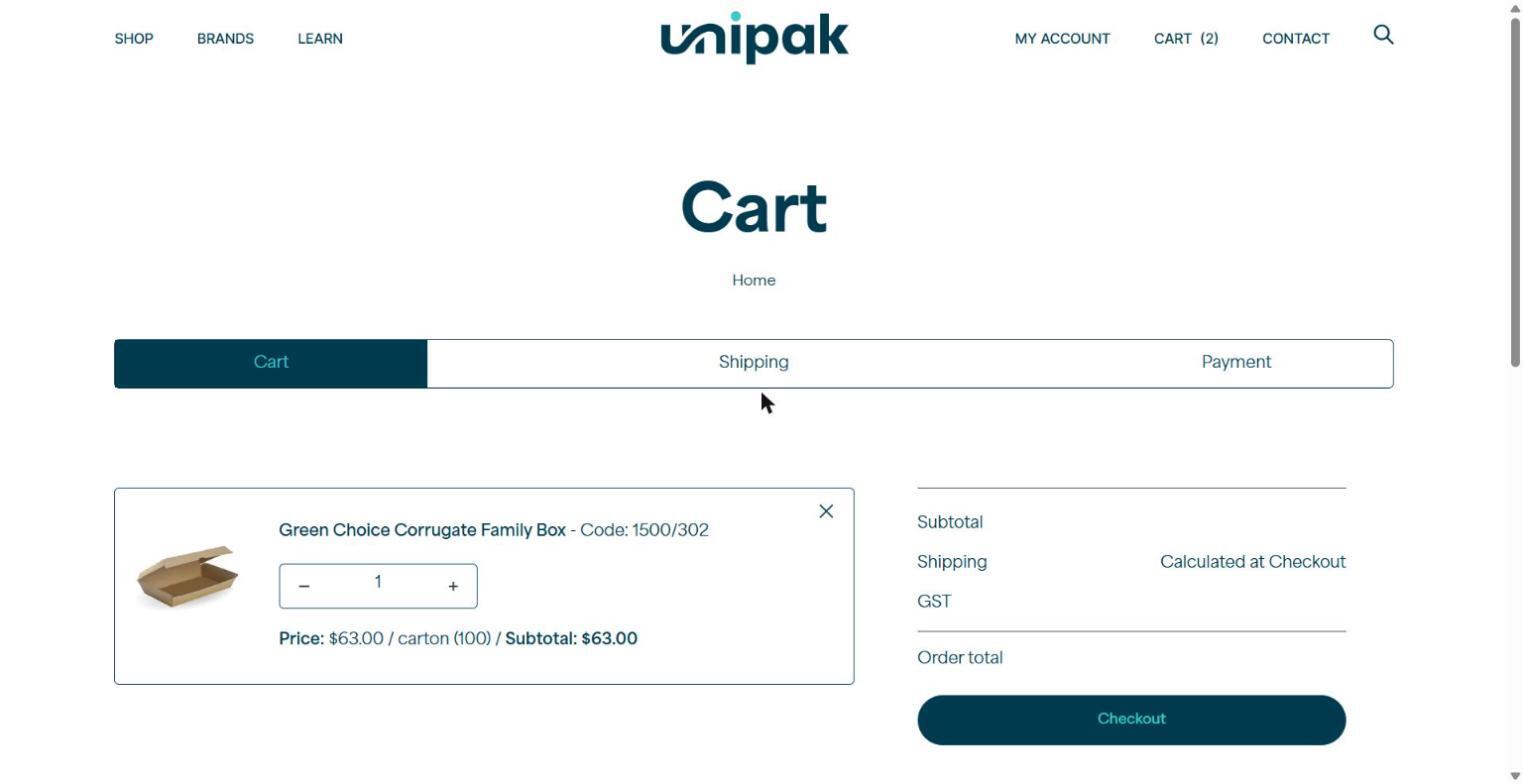
From My Favourites, find the product and select Add to Cart. Check the product and quantity in your cart before you continue to checkout.
The product stays in your Favourites list after it is added to your cart.
Remove a favourite
From My Favourites, select the filled heart beside the product you want to remove.
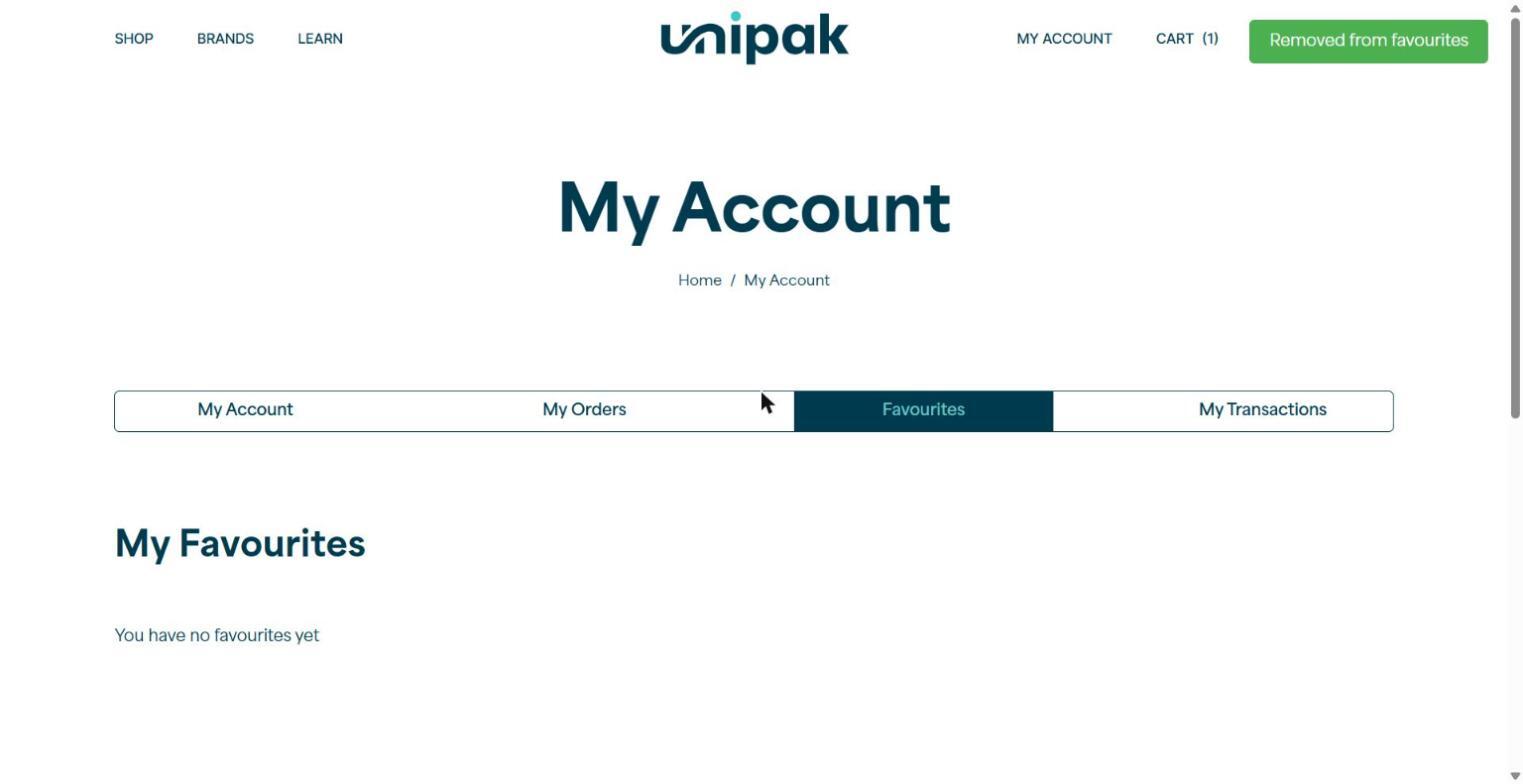
A “Removed from favourites” message confirms the change. If you remove your last favourite, the page says “You have no favourites yet”.
Need a hand?
Email hello@unipak.co.nz or call 0800 864 725.